
STILL HAVE QUESTIONS HOW MEETBUCKET WORK?
ALREADY HAVE AN ACCOUNT - FOLLOW THE STEPS BELOW





 +
+
Meetbucket is perfect for small and large business meeting needs
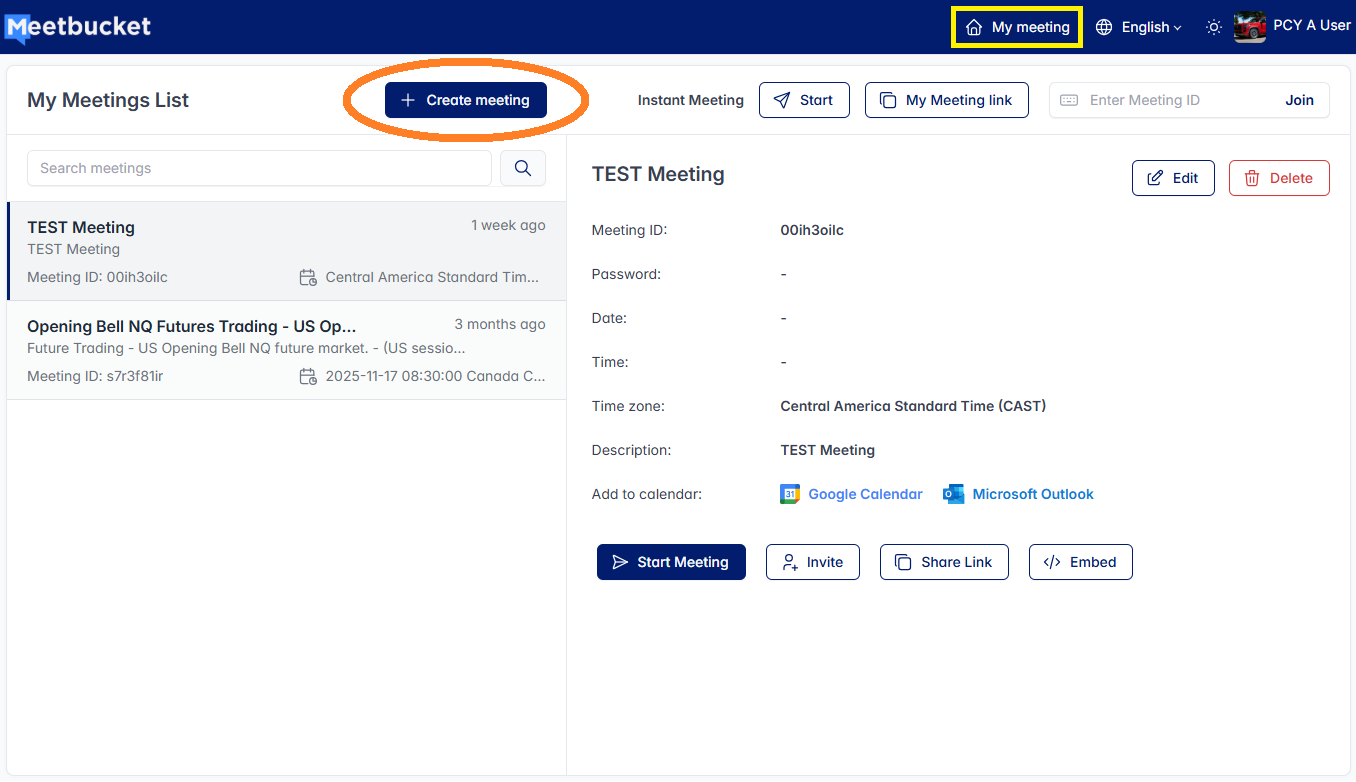
After Login - Inside My Meeting Dashboard there's My Meeting list. To creat a new meeting, click + Creat meeting
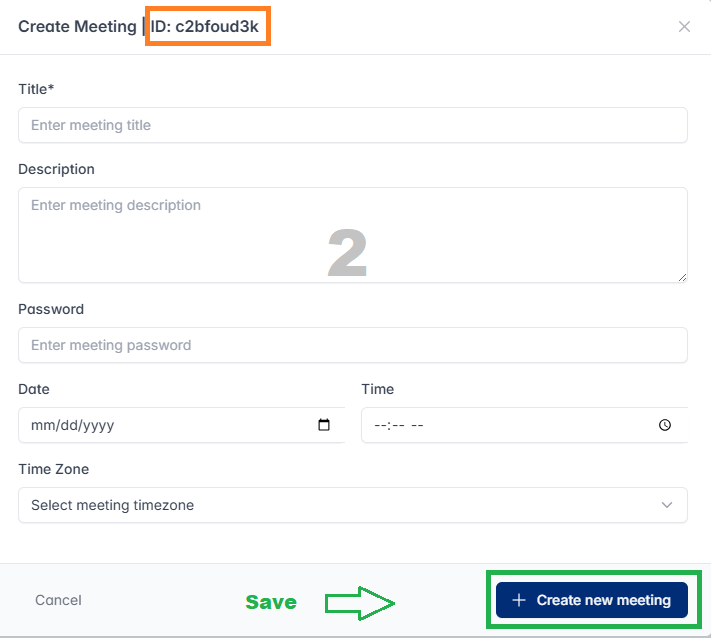
Enter your meeting tittle*, description and click + Creat mew meeting to saved. Once it saved it will be show under My meeting list. You can always come back and edit the meeting details later
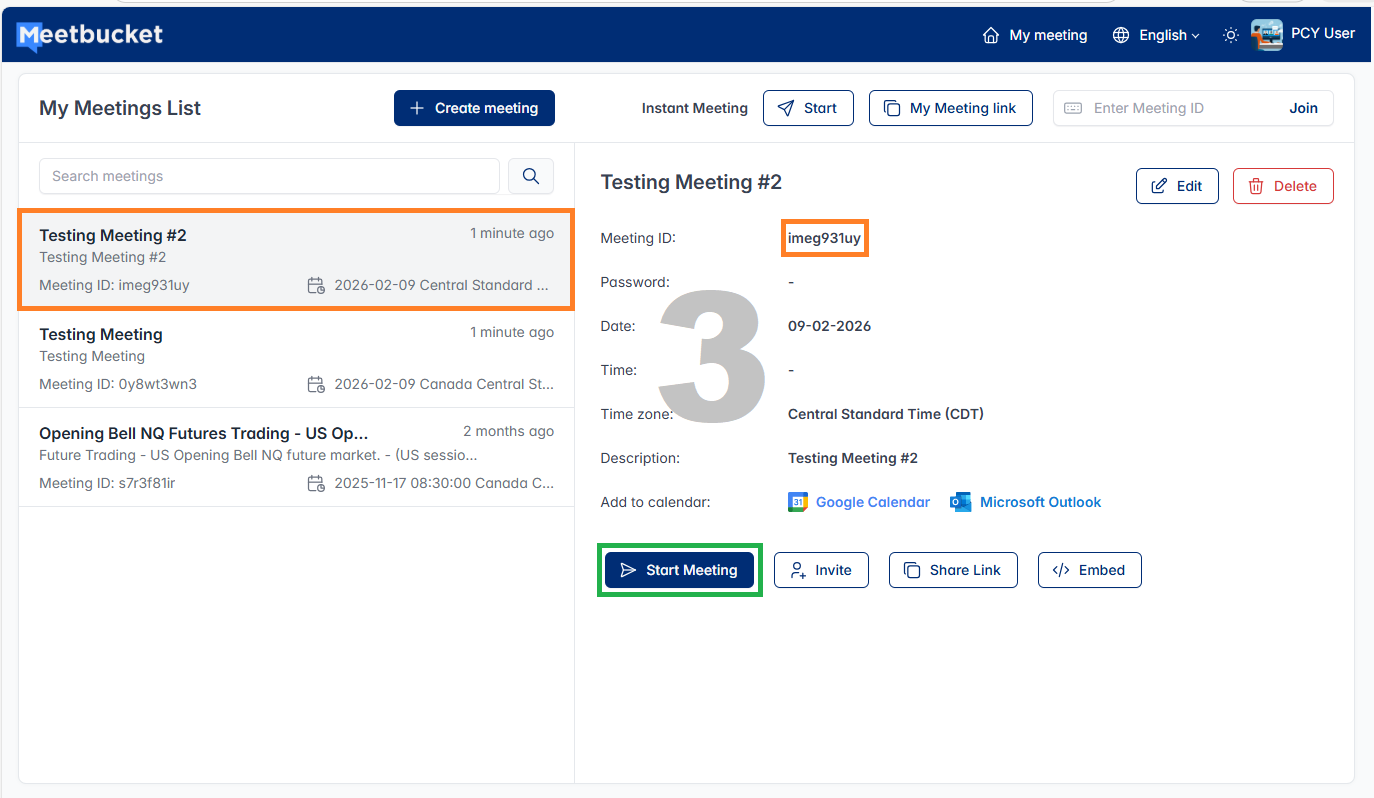
Under My Meeting List, If you have more than one meetings listed here.(Each meeting have it own meeting ID, Share Link).
Make sure click the meeting you want to start, share link or meeting ID and use the invite feature to invite peoples to join meeting.
To start a meeting click Start Meeting.
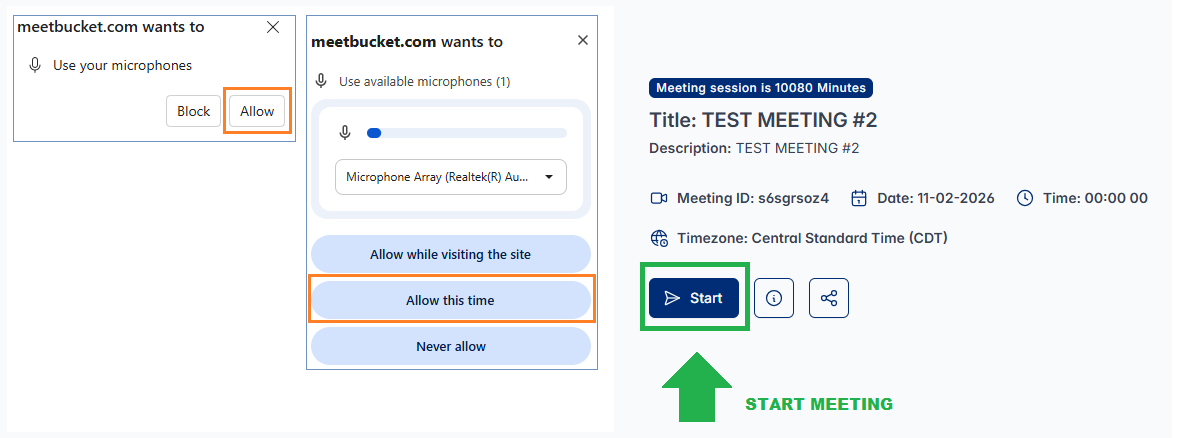
When you start or join the meeitng there is message popup on your screen similar to the one show on the right is asking you to allow camera and microphone as
joining the meeting in order to heard other are talkings and they can hear you.
Please make sure you click either Allow this time or Allow while visiting this site, either will work just fine.
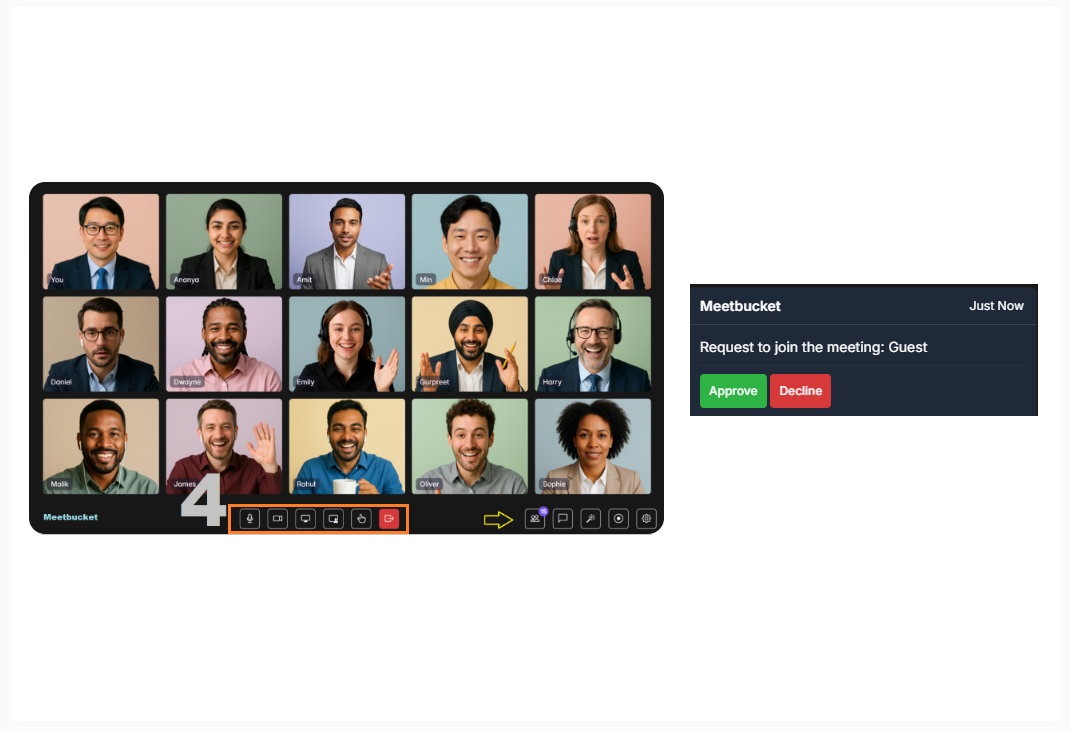
In the meeting area there are some features and tools ready can be use. If someone join the meeting you see message popup on the right-top corner, you can approve or decline.
You can use Meetbucket for Online Meetings, Live Classes, Video Chat, Telehealth, Consultation, Education, Dating, Social Media, Business Meetings, Large and Small Group Discussions, Interviews, and Inspections.
© Copyright Meetbucket All Rights Reserved